rethink how
you design
Start with a design that already works. Shape it with tools made for the job. Bring it to life inside your own website.
Your ideas. Your content. Your way of working.
Think about what you want to make.
We have thought about how.
Designing a page involves more than arranging text and images. A carousel has slides and navigation. A catalogue has pages and products. A comic has panels, dialogue and a story to tell. intebuild gives that content a workspace of its own.
One editor.
More ways to create.
Open a focused control panel, see the result and keep related choices together. Spend your time on the content you are making.
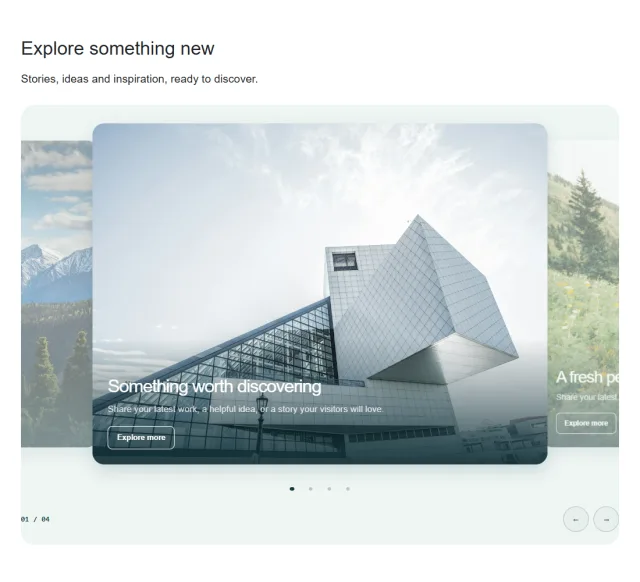
Carousel editor
Turn images, products and stories into a carousel that feels made for your page. Change the design and keep the content you have already created.
Explore Carousel editor
Catalogue editor
Build a product catalogue or a magazine with real pages, clear layouts and a dedicated editor. Bring your products, prices and stories together in one place.
Explore Catalogue editor
Cartoon editor
Give your ideas a cast, a setting and a voice. Arrange illustrated panels, shape the dialogue and make a comic that is unmistakably yours.
Explore Cartoon editorFind your feet.
Then find your flow.
You do not need every control on day one. Choose Beginner, Intermediate or Advanced to match the way you want to work, and change levels as you get more confident.
The levels change the editing controls. Your page content stays yours.
Find your starting pointA clear place to begin.
Start with a layout, select what you want to change and make the words and images your own.
- Choose a starting layout
- Edit words and images
- Adjust the look
- Preview your content
A little more room to shape it.
Bring more layout and styling choices into your workflow as your confidence grows.
- Refine layout and size
- Balance spacing
- Explore appearance options
- Add movement
Get closer to every detail.
Work with the fuller set of design controls when you want to make more precise changes.
- Inspect page structure
- Fine-tune individual elements
- Set each side's spacing
- Use detailed style controls
Less piecing together.
More making it yours.
If you are used to building a page element by element, here is how the intebuild workflow changes the starting point.
| What you want to do | An element-by-element workflow | The intebuild approach |
|---|---|---|
| Start a page | Arrange individual elements into a layout. | Choose a complete template, a section or a smaller block, then edit it. |
| Create richer content | Build up the parts and their settings. | Use dedicated editors for slides, publications and illustrated stories. |
| Find the right controls | Work through the controls for each element. | Choose an editing level and find related settings grouped together. |
| Try a different carousel look | Rework the layout and its slide presentation. | Switch carousel designs in the control panel while keeping your slides. |
Your website already has a home.
intebuild creates page content that connects to your website through its CMS integration. Your site can keep its navigation, its surrounding layout and its existing systems, while intebuild handles the content area you want to edit.
Explore the website connectionA little less friction.
A lot more you.
The best way to understand the difference is to make something.
intebuild · rethink how you design